Wednesday, June 14, 2017

The Best Site to Train Your Fast Typing


Is your typing slow?


In the age of technology is already familiar with the name of the internet with the internet we can find anything with just type it on the page that is available. At this time I will let you know the site to train your typing. On this site, you will be trained how to type with ten fingers and without looking at the screen of the
monitor. Come on start!!


1.  Z-TYPE

Z-Type is a simple game of the aircraft, you only need to shoot the enemies to score the highest value. Although simple, this game could display Jaka told quite interesting and not boring.In this game, you can train the ability of 10 fingers.


 Due to shooting the enemy, you have to place the words of the enemy. Arguably, this is a learning while playing.

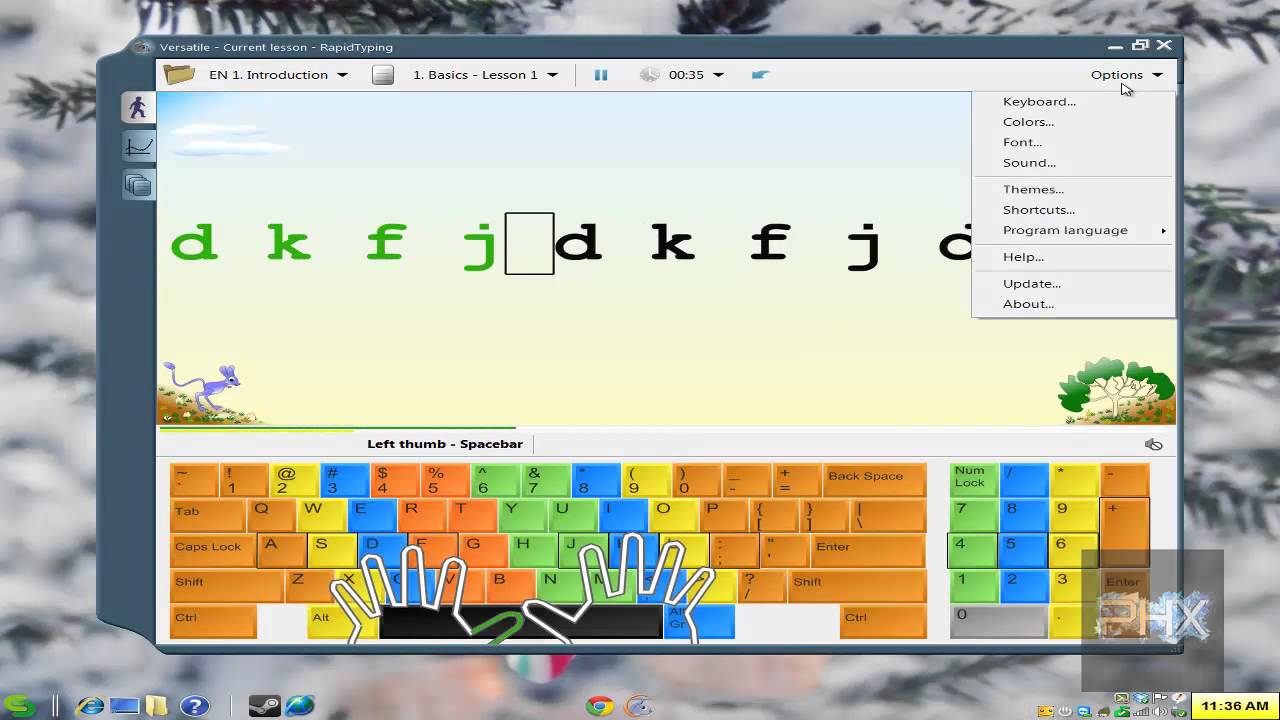
2. Rapid Typing Test

If you quite entertained with a Z-Type, could begin to try Rapid site TypingGames. On this site, there is more game, although the game was indeed a simple average. Don't look as good as the Z-Type, but this is enough to train the ability of 10 fingers.

3.  10 Fast Finger

After playing while learning through the two sites before, now is the time rate, already up to the extent of ability you? You can do this via the site 10 Fast Fingers.


On this site you will get value from the ability to type, you can also do a comparisonvalue against another.


Thank you for reading this article

How to display SSID and keys that were once connected to your computer


Ciao everybody, come back again with SEPOTEK INFORMATION, ok because I have to tell you about "What should do the new internships at their office" so today I will give you some trick about How to display SSID or wifi's name and keys that were once connected to your computer.


Read about: What should do the new internships at their office


1. Turn on your computer.

Turn on computer
So first step you should turn on your computer with push the power button on your laptop/computer.

2. Open CMD program on your computer.

Open CMD
Next, Open Command Prompt / CMD using Windows + R or you can use other steps with pushing the Windows Button and write "Command Prompt" and then click so you will direction to the Display CMD.


3. Type "netsh WLAN show profile" on your computer.


In cmd display, you should type "netsh wlan show profile"  this script used to show and check all wireless connection in your location. After you type it press enter to next step.

4. Find your wifi's name target.


After that, you can see the list of wifi's name or SSID on your display and then find the wifi's name that you will know the password.


5. Type "netsh wlan show profile 'your wifi' key=clear"


Next step, type this script to display the wifi's password and then you can see the password in key content.

6. Taraaaa your password is visible now :)


Thank you for reading this article

See You Next Time

Monday, June 12, 2017

What should the new internship do at their office


Hello There, Welcome to my first post in my blog so today I will tell you about "What Should the new internship do at their office". Before we start the topic you must know about Internship. What is an internship? Simply put, it is an opportunity that employers offer to students interested in gaining work experience in particular industries. With this primer, learn more about what internships are and why students benefit from them.


How Do Long Internship?

So usually internships are done until three months and some even reach one year. After internships finish students are able to work there again as full-time employees. Oke? let's start the topic " What should do the new internship at their office".

1. Get Acquainted with some employee.

The First thing that you must do it is "Get Acquainted". If we know each other we can help each other in doing some tasks are given by our manager. Other than we can help each other so we can get some experience from employees in there.

2. Ask for help if you cannot do some assignment.

If you get some assignment from your manager and you don't understand about that so you can ask for help to other employees in there because some employees in there have much experience which will be given to you.

3. Follow the rules.

In every company must have rules, then you as an apprentice there must follow the rules that exist because by following the existing unity you will be seen as a discipline apprenticeship.


4. Ask for assignment to your manager.

So the fourth step is, if you have finished an assignment before, don't wait too long because manager always monitoring you. So after you finished the assigment, then tell your manager to give a new assigment.


If you follow the instructions above you can be sure you will easily perform apprenticeship.


Thank You For Reading This Article.


Thank You